
Oknola vs Notion.
Pick Notion if you want a mature, freeform workspace you shape from blocks, or you work with other people.
Pick Oknola if you run the business alone and want plain files, a structure Oknola keeps for you and agents that see only the tags you give them.

Where Notion is better
Mature and widely used.
Notion runs on the web, in desktop apps, and on iOS and Android [11].
Working with other people.
Plans are priced per member and guests are not charged as members, so you can share pages with clients. The Free plan allows 10 guests [2].
A free plan for one person.
Free gives a solo workspace unlimited pages and blocks, with 5 MB uploads, 7-day page history and a trial of AI [2].
Where Oknola differs
The structure keeps itself true.
Oknola lays down one structure and keeps it. The pass, the built-in AI tidy-up, types, links and files each capture, and asks you about any it cannot place. A wrong file is saved as written and flagged as needing you, whether you wrote it or an agent did, and you fix it.
Your AI reaches only what you allow.
Add the Oknola connector in claude.ai, Claude Code or Codex and approve it once. By default it can only create dashboards and data files, and it never changes or deletes a note. Reading notes in the folders you pick is opt-in, and you manage it in Settings › Integrations. The second way is the laptop folder (Mac app, in preview), where an agent reads what its machine lets it. A headless mirror for your own server is coming soon.
All your note text on every device.
Every device keeps the full text of your notes, so reading, editing and search work offline.
Ready-made surfaces on one fixed structure.
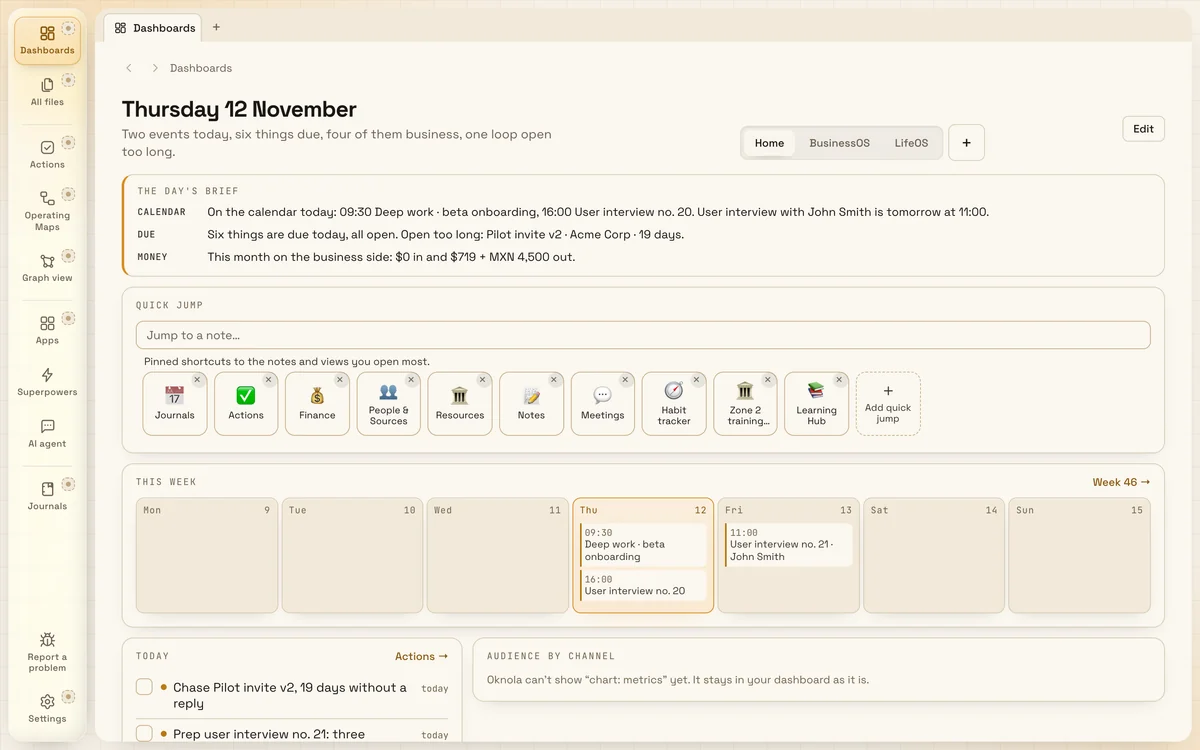
Views, Actions with the Execution Canvas, Graph view, the Operating Maps and Journals all sit on top of the same files, so there is no system to design first.
Export any time, or keep the laptop folder (Mac app, in preview).
Your notes are plain markdown in the Open Knowledge Format, the open standard, so they open in any editor and stay readable forever after you stop paying.
The trade-offs, plainly: Oknola is for one operator, with no guests, seats or shared workspaces. It has no plugin ecosystem, one fixed structure, a cloud copy as the source of truth, and a solo founder behind it.
Side by side
| Point | Notion | Oknola |
|---|---|---|
| Built for | Teams first: its homepage pitches a place “where teams and agents” work together. The Free plan targets personal projects [1, 2]. | A solo operator running a business. One operator only: no guests, seats or shared workspaces. |
| Where your notes live | Notion's cloud. Offline in the desktop and mobile apps, page by page [3]. | Oknola's cloud copy, encrypted at rest, never trained on. All note text on every device. Optional laptop folder (Mac app, in preview). |
| Structure | A blank canvas of blocks and databases, plus templates. Nothing is enforced [9]. | One fixed structure, the Indexed Brain, from first open. Oknola types and tags each note: enforced, not suggested. |
| Who does the filing | You do, from a blank page or a template [9]. | Oknola does. The pass types, links and files each capture. What it cannot place comes to you. |
| AI inside | Notion Agent on Business, with meeting notes, research and search in beta. Free and Plus get trial responses [2, 5]. | The pass, the built-in AI tidy-up, in the plan. The agent layer is a planned add-on. |
| Outside AI (Claude Code, ChatGPT) | Notion's hosted MCP server works with Claude, ChatGPT, Cursor and other MCP apps [7]. | The Oknola connector: add it in claude.ai, Claude Code or Codex and approve it once. Or the laptop folder (Mac app, in preview), plain markdown any agent opens. A headless mirror for your own server is coming soon. |
| What an agent can reach | MCP tools act with your full permissions. Since October they can also move pages to Trash [7, 8]. | Through the connector, only dashboards and data files by default. Reading notes in the folders you pick is opt-in, in Settings › Integrations. On the laptop folder, what its machine lets it read. |
| Price for one person | Free $0. Plus from $10 or Business (full AI) from $20 per member a month [2]. | $30 a month or $270 a year, one plan. One operator, never per seat. |
| Trial or free tier | Free plan: unlimited pages for one person, 5 MB uploads, 7-day history, an AI trial [2]. | No free tier. 14 days free, then $30 a month or $270 a year. Cancel any time. Read-only after, never deleted. |
| Leaving | Markdown and CSV export. Views, relations and formulas reportedly flatten [10]. The zip can't rebuild a workspace [4]. | Export any time, or keep the laptop folder (Mac app, in preview). Plain markdown opens anywhere. |
Notion facts checked 29 September 2026, re-checked 13 November 2026, on its own pages and public reviews. Tell us if one is out of date
Use both
Keeping both makes sense when other people are in the work. Notion can hold the pages you share with clients, who join as guests without a paid seat. Oknola stays your company brain: the notes, meetings, ideas and actions only you work in. The two don't sync or connect. Bring older pages over once with a Markdown export.
Moving from Notion
Export from Notion. On a page, open the menu, choose Export, then Markdown and CSV, with Include subpages on. For the whole workspace, use Settings, Workspace, General, Export all workspace content. The emailed link expires in 7 days, and the export can take 30 hours [4].
Bring the pages into Oknola. Your .md files come in on day one and stay markdown. The pass gives each one a type and files it at a steady pace, keeping every original word for word.
Keep the CSVs as files. Each database arrives as one CSV [4]. A third-party export guide reports views, filters, relations and live formulas flattened to values [10]. Tasks and boards don't travel as notes. Links come out with 32-character IDs, and form views can't be exported [4, 10].
Read the full walk-through. The guide Moving from Notion to plain markdown files covers the export, the file names and links, and turning database rows into files.
What ships, and in what order: the Roadmap
Questions
Free trial
Bring your Notion notes on day one.
14 days free, with your notes in on day one, then $30 a month or $270 a year. Cancel any time.
Not offered yet to consumers in the EU or UK.
Sources
Oknola is not affiliated with Notion. Notion's name and product image belong to its owner.
Notion facts checked 29 September 2026, re-checked 13 November 2026. We re-check them every quarter. Tell us if one is out of date
- [1] notion.com: headline (its verb rotates), positioning.
- [2] notion.com/pricing: plans, prices per member a month, limits, AI by plan, betas, Custom Agents at $10 per 1,000 credits.
- [3] notion.com/help/use-pages-offline: offline rules.
- [4] notion.com/help/export-your-content: export formats, limits.
- [5] notion.com/help/notion-ai-faqs: AI features by plan.
- [6] notion.com/help/buy-and-track-notion-credits-for-custom-agents: credits included with Business seats, extra credits at $10 per 1,000.
- [7] notion.com/help/notion-mcp: MCP clients (Claude, ChatGPT, Cursor and any MCP app), permissions.
- [8] developers.notion.com/page/changelog: agent APIs generally available on 2 November 2026, MCP tools added in October 2026.
- [9] notion.com/help/what-is-a-block: data model.
- [10] raccoon.page/blog/notion-export-limitations: a competitor's blog, export losses.
- [11] notion.com/mobile and notion.com/desktop: platforms.