
Compare
Which one fits a business of one?
Most of these tools are good. Most were built for a team, or for someone who enjoys building their own system. Each page starts with where the other tool is better, so you can trust the rest.
Note apps you build yourself
The question here is who does the tending: you, or the app.
-
Obsidian
Free, local, with thousands of community plugins. You build the structure, and you keep it true. Oknola lays the structure down and does the filing for you, on the same plain markdown.
-
Logseq
Open source, local, and encrypted end to end. Its new version keeps a database instead of markdown files, and its sync is still in testing. Oknola keeps markdown and does the filing.
A workspace you build
The question here is upkeep: a system you design, or one that keeps itself in order.
-
Notion
A flexible block workspace many people already know. Its full AI needs the Business plan, and its export turns databases into CSV files. Oknola is plain files with the structure enforced, and an AI tidy-up that keeps it that way.
Team work managers
The question here is whether you manage people, or run the business alone.
-
Asana
Rules, timelines, dashboards and guests, built for teams. Paid plans start at two seats, and it is built around tasks, not notes. Oknola is the notes and the tasks inside them, for one operator.
-
ClickUp
Tasks, docs, chat and automations in one place, cheap for one person. Deep, with a learning curve, and outside AI calls are capped per day on the cheaper plans. Oknola does less, on plain files any AI can read.
-
monday.com
Visual boards, dashboards and a CRM, built for teams of three and up. For one person the seat minimum decides it. Oknola is priced for one operator, never per seat.
At a glance
| Tool | Where your notes live | Who does the filing | Outside AI reads it | Price for one person |
|---|---|---|---|---|
| Obsidian | A folder on your computer | You, by hand or with plugins | Plain files, any agent | Free, Sync $4 a month billed yearly |
| Logseq | Local files (OG) or a local database (new) | You, or a template you set | A local MCP server and a CLI | Free, Sync for monthly backers |
| Notion | Notion's cloud | You, from a blank page or a template | Its hosted MCP, with your full permissions | Free or from $10 a month, full AI from $20 |
| ClickUp | ClickUp's cloud | You, with the automation rules you build | Its MCP, 100 to 300 calls a day on Free and Core | Free, or $9 a month, AI credits included |
| Asana | Asana's cloud | You, with rules on paid plans | Its MCP and API | Free for one or two, paid from two seats: about $22 a month |
| monday.com | monday.com's cloud | You, with boards and automations you set | Its MCP, within a daily API limit | Free for two seats, paid from three seats: $27 a month |
| Oknola | Oknola's cloud, with an optional folder on your laptop (Mac app, in preview) | Oknola: the pass, its built-in AI tidy-up | The Oknola connector, each folder opt-in, or plain files on the laptop folder (Mac app, in preview) | $270 a year, or $30 month to month; one operator, no free tier |
Rival facts checked 29 September 2026, re-checked 13 November 2026, on each tool's own pages. Prices in USD, billed yearly where the tool offers it. MCP is the way AI tools connect to an app. Tell us if one is out of date
How these pages are written
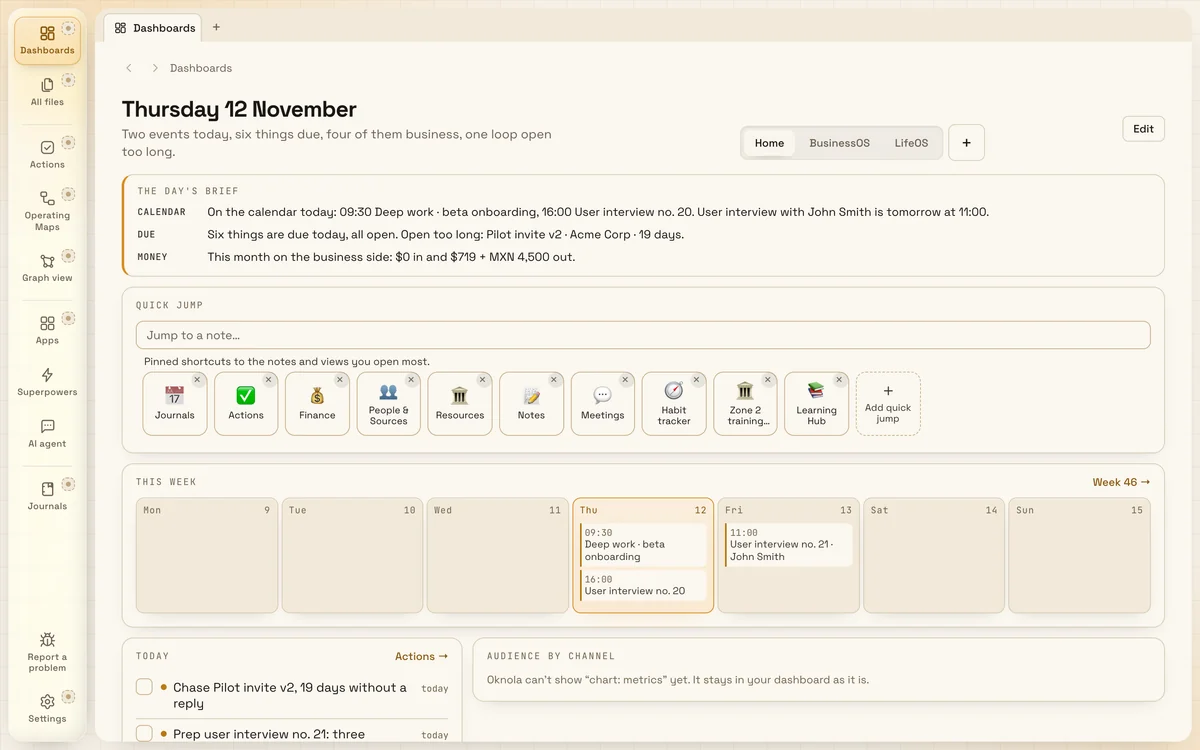
Each page starts with where the other tool is better. Every fact about it carries a source and the date we checked it, and we re-check them every quarter. Each page also shows the other tool's own product image beside Oknola's demo, captioned with where it comes from and the day we captured it. Oknola is not affiliated with any of them. Oknola's side comes from the product itself.
What ships, and in what order: the Roadmap
Free trial
See it on your own notes.
14 days free, with your notes in on day one, then $30 a month or $270 a year. Cancel any time, and every note stays readable, searchable and exportable.
Not offered yet to consumers in the EU or UK.